A process note arrives as a screenshot. AI prepares a draft. Lea checks the content and project assignment. Only the approved version is saved to the project.
Illustrative example · fictional content and people
A reviewed result at the end.
An AI draft is not yet usable knowledge. Here, a source becomes a reviewed version assigned to a project and ready for the team.
01Information
02AI draft
03Human review
04Save knowledge
05Measure impact
Example source · screenshot of a process note
▤
New information: AI prepares a knowledge draft. Lea checks the content and project assignment. Save it to the project only after approval.
✓ Approved · example state
How the team captures knowledge
Preparation: AI creates a draft.
Review: Lea checks content and assignment.
Storage: use only the approved version.
Project: Internal knowledge
A result is not yet evidence of impact.
Whether this saves time or improves quality requires comparison with a measured baseline.
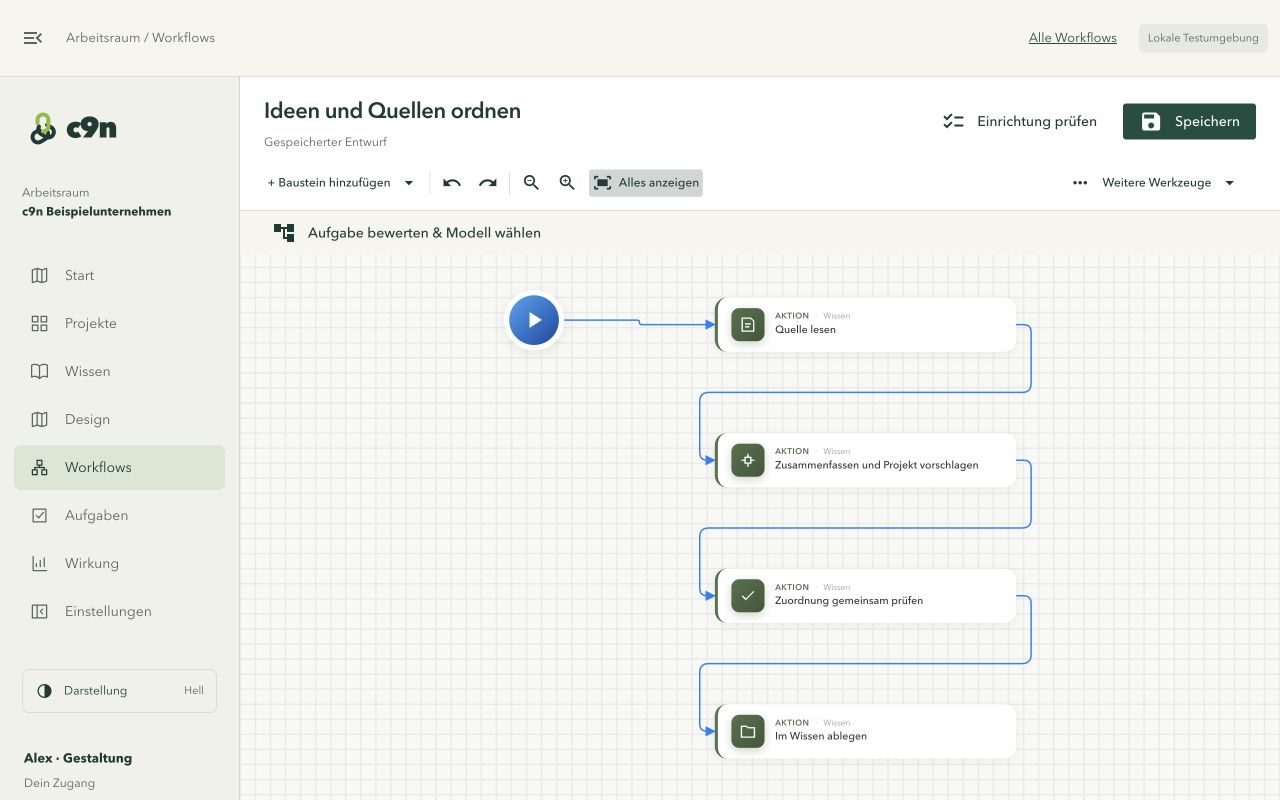
Approval, revision and error paths are visible. A defined workflow makes AI work traceable; it does not guarantee identical or error-free answers.
01Information
02AI draft
03Human review
04Save knowledge
05Measure impact
Example of configured routes
Approved→
Save reviewed knowledge
Revision requested→
Revise draft → review again
Reading error→
Check the source → retry processing
See the real workflow editorActual screenshot from the alpha test environment. The example above is a simplified explanation.Illustrative example · fictional content and people
A connected way of working, beyond individual AI tools.
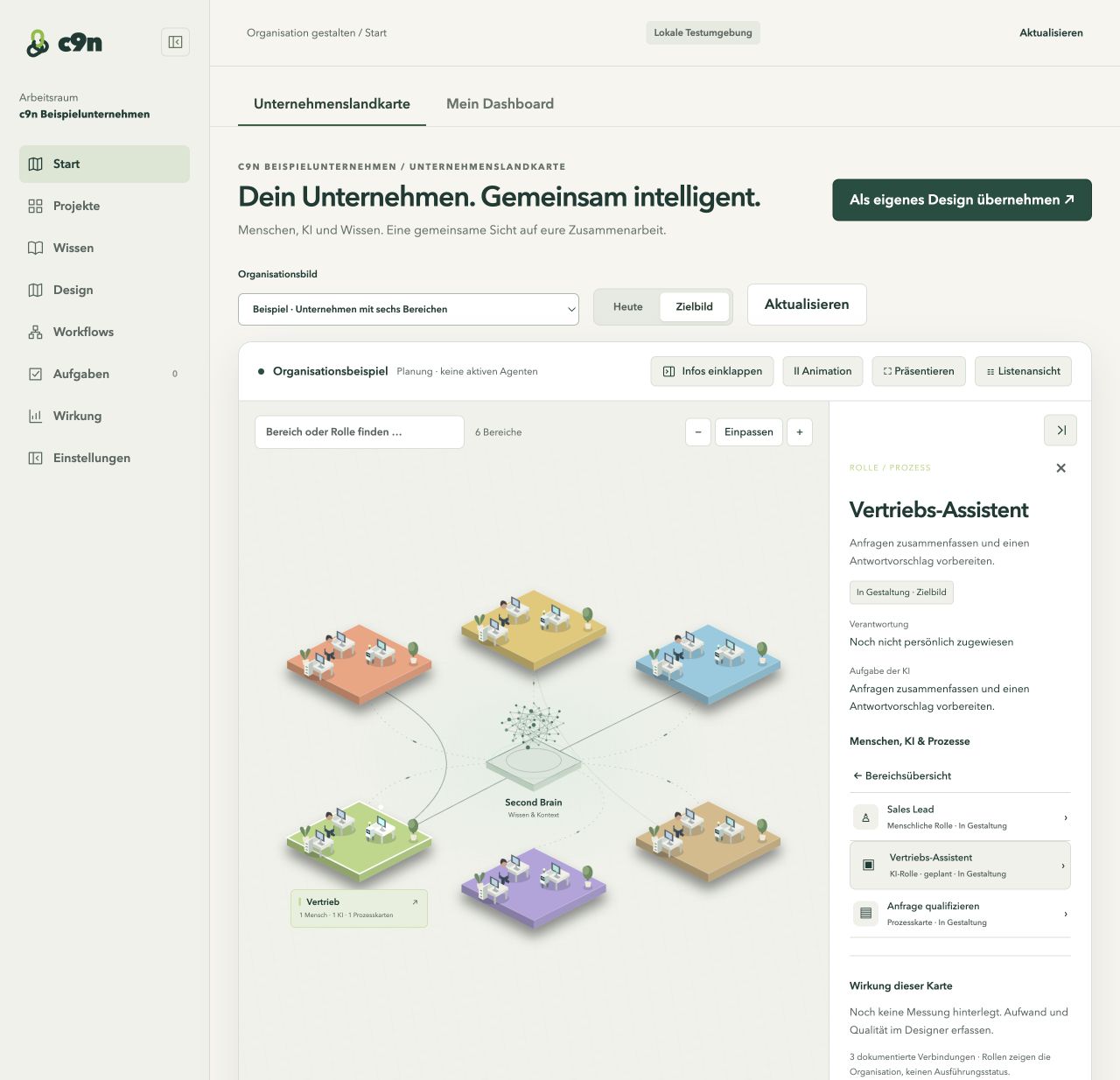
Organisation, knowledge, execution and measurement belong together. The company landscape provides context; the workflow carries out the process the team agreed on.
01Information
02AI draft
03Human review
04Save knowledge
05Measure impact
DepartmentOperations
ResponsibilityLea reviews
Shared knowledgeApproved sources
WorkflowPrepare → review → save
ImpactCompare effort and quality
Explore dashboard examples →See the real company landscapeActual alpha prototype with an example organisation and planned AI roles. No customer results.
Current scope: This illustration explains the product concept and does not execute a workflow. The alpha supports knowledge preparation, human review and storage in supported workflows. The simplified interface and general selection of multiple results are proposed designs. No time savings are claimed here.
Our company landscape in 60 seconds: from a shared view of your organization to reviewed knowledge, workflows and measurable impact.
60 seconds · no audio · German visuals, English subtitlesOpen MP4 video ↗
Playback could not start. Use the video controls or open the MP4 file.
Animated example organization, not a screen recording. Numbers are sample data. GPU sharing and credits are planned and optional.Read the explanation
People set goals and make decisions. AI prepares information and suggestions. The Second Brain connects departments with reviewed knowledge. An example workflow takes a screenshot through extraction and human review into the knowledge library. Effort and quality are compared before and after the change. Planned sharing of spare GPU capacity is optional; the internal installation remains independent.
03 / DASHBOARDS
Your day. Your decisions. Your impact.
What needs you? What have you learned? Is automation actually helping? Three examples show the questions a dashboard should answer.
Illustrative dashboard examples with fictional sample data, not customer results. These cards explain the concept; they are not interactive product screens.
01
Knowledge at a glance
Turn sources into useful knowledge.
3 new sources2 for review1 confirmed
Customer feedback · Review assignment
Project knowledge · Confirmed insight
Next step: review the source and confirm its assignment.
02
My decisions
Where AI needs your judgment.
2 pending1 question0 overdue
Draft copy · Awaiting approval
Customer request · Add context
Next step: open a suggestion, edit it or approve it.
03
Understand impact
Compare effort. Account for quality.
Example · 20 cases · 7 days
Before 20 min.
With AI, including review 14 min.
Quality review: 18 of 20 accepted
Next step: check rework and quality before expanding the process.
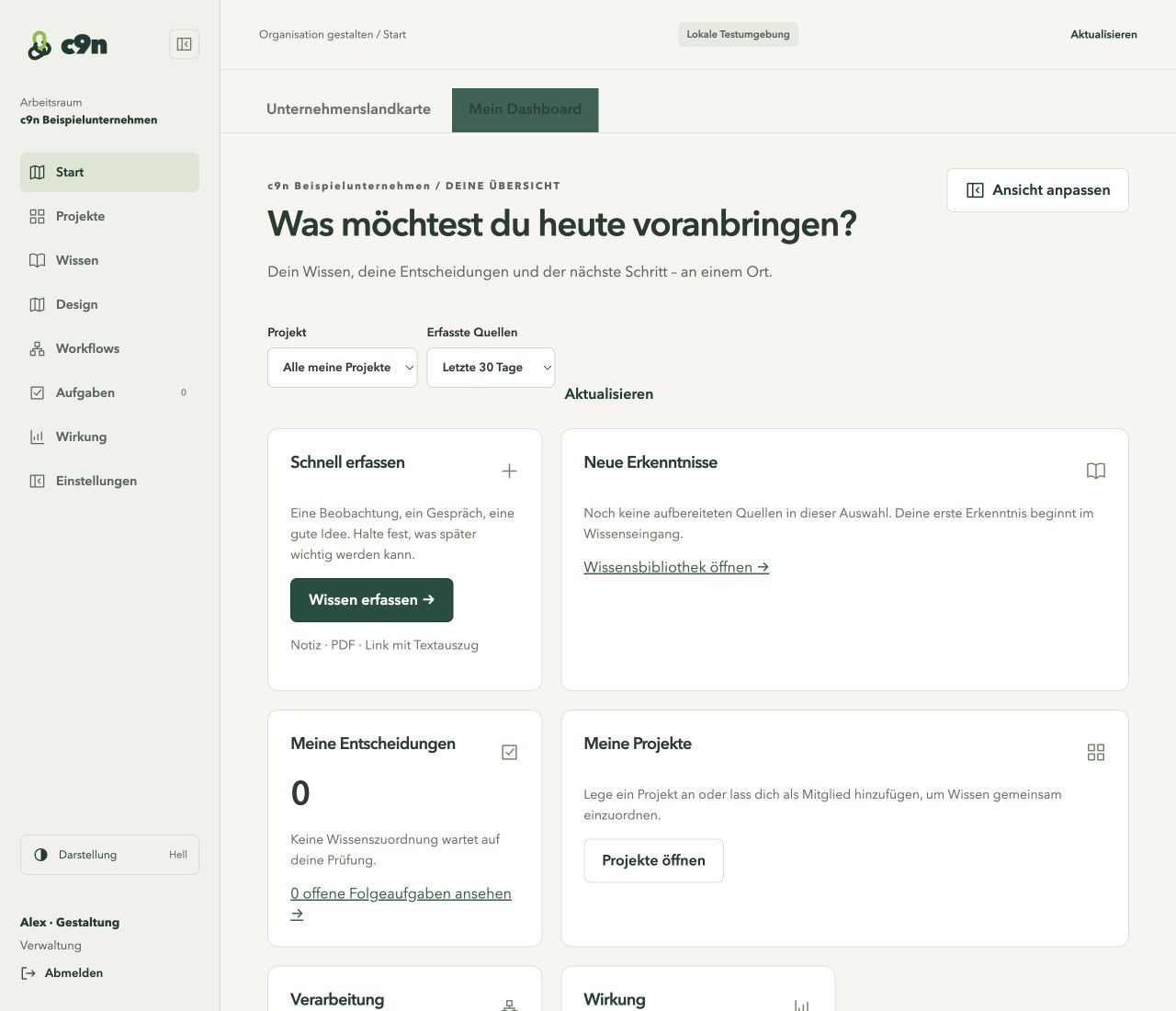
The dashboard in the current product.
Open full view ↗Real screenshot from the local alpha test workspace. This empty view shows the existing knowledge, decisions and projects areas. Click to enlarge.
COLLABORATION WITH CLEAR ACCESS
The right task. The right access.
People reviewing results do not need a workflow editor. Process designers need different tools from the people managing the team. c9n distinguishes these responsibilities.
c9n
Dashboard
Projects
Knowledge
Design
Workflows
Tasks
Impact
Settings
Example view · proposed navigation
Manage the workspace.
Manage team access, assign roles and take care of workspace setup.
✓
Invite your team
Set access and roles
c9n
Dashboard
Projects
Knowledge
Design
Workflows
Tasks
Impact
Example view · proposed navigation
Design how work gets done.
Design processes, configure workflows and assess results within a project.
✓
Prepare a process
Define responsibility and review steps
c9n
Dashboard
My projects
Shared knowledge
My tasks
Example view · proposed navigation
Finished results. Your decision.
Open, review and approve assigned results in a view focused on the task.
✓
Select & approve a result
Compare suggestions and choose the version to use
These examples illustrate the proposed interface for each role. They do not change real permissions or sign you in.
Roles determine the tools
Administrators, designers and contributors have different responsibilities and permissions.
Sharing determines knowledge access
Knowledge can be personal, shared with a project or shared with the workspace. Project knowledge follows membership.
Assignment determines the reviewer
A human review task is assigned to a person. Hiding a menu does not replace access checks on the data.
Today: The alpha includes these three roles and server-side checks for protected actions, knowledge sharing and assigned review tasks. The navigation and general result-selection interface shown here are a proposed design. They do not imply that per-menu or per-team custom permissions are already available.